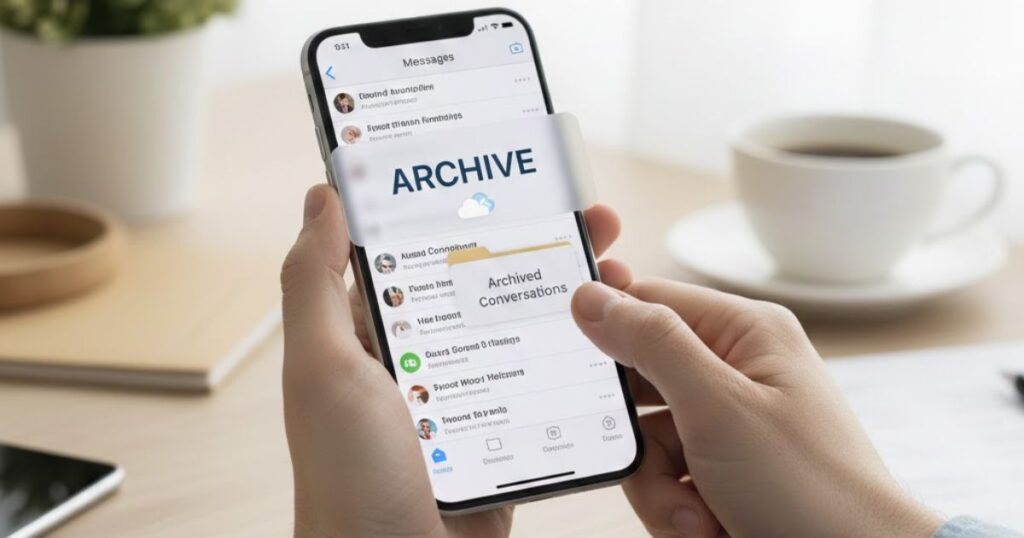
iPhones are a popular choice for both personal and work use because they are easy to use and secure. Many people send important messages every day, and sometimes you need to save them without deleting anything. Archiving messages is a smart way to keep your conversations safe and organized.
While iPhones have features like iCloud backup and message syncing, they don’t always make it easy to archive text messages on iPhone for future reference. This can be a problem if you need to find old messages or meet business or legal needfulls.
The good news is that there are ways to archive iMessages and SMS safely without losing them. In this article, we will explain how to save and manage your iPhone messages, so you can keep them for later while staying secure.
Why Is Archiving Business Messages Essential?

Archiving business messages ensures important communications are always available for future reference. It helps companies stay organized, maintain regulatory compliance, and protect sensitive information from loss or unauthorized access.
Proper message archiving also supports smooth operations. Teams can track decisions, resolve disputes, and access historical conversations, making enterprise mobile communication more orderly and secure across all devices, including iPhones.
- eDiscovery Made Easy: file messages simplify digital communication retention, allowing businesses to quickly find critical information during look into, legal cases, or investigations without missing important details.
- Business Continuity: By keeping all iPhone messages and SMS safely archived, companies ensure a strong safety net during system upgrades, data loss, or emergencies.
- Improved Project Management: Detailed archives preserve timelines, decisions, and milestones, helping teams stay aligned and making corporate message archiving a key tool for project success.
- Conflict Resolution: Access to historical messages provides clear, unbiased records that resolve disagreements quickly, reducing error and supporting fair workplace decisions.
- Knowledge Retention: Archives safeguard institutional knowledge, ensuring lessons learned, customer communications, and critical insights are available for future reference.
- Regulatory Compliance: Proper archiving meets industry standards like SEC, FINRA, GDPR, and HIPAA, minimizing penalties while protecting sensitive data and maintaining corporate reporting.
Text Message Retention Policies: The Compliance Imperative
In industries like finance and healthcare, keeping business messages is not optional, it’s required. Regulators like the SEC and FINRA demand solid digital communication retention, including iMessages and SMS. Companies must follow these rules to avoid fines, audits, and increased oversight while keeping employee communications secure.
Creating clear text message retention policies helps businesses balance compliance and privacy. Policies define what messages to save, how long to keep them, and who can access them. This ensures corporate message archiving meets legal standards while protecting sensitive personal information, such as customer data or internal discussions.
Following retention policies also improves efficiency. Teams know which communications are important and available for audits, legal cases, or internal reviews. By implementing structured mobile message retention, companies reduce risk, protect valuable knowledge, and maintain trust with employees, clients, and regulators.
Companies need to follow both data protection and documentation regulations. At the very least, an organization should:
- Minimize Data Retention: Keep only necessary messages to reduce risks. Limiting stored messages ensures compliance while managing storage efficiently and protecting sensitive iPhone message data.
- Secure Archived Data: Use advanced encryption and strict access controls for all archived communications. This safeguards enterprise mobile communication and ensures only authorized personnel can view critical messages.
- Ensure Transparency: Inform employees about archiving rules and retention timelines. Clear communication encourages compliance, builds trust, and supports proper corporate message archiving practices across the organization.
Can iPhones Meet the Archive Challenge?

iPhones are popular for work because they are easy to use, secure, and familiar. However, when it comes to archiving business messages, their native features fall short for companies needing solid compliance and detailed recordkeeping.
Apple offers tools like iCloud backup, Handoff, and flow, which make syncing messages simple. Yet these features don’t fully support enterprise mobile communication, leaving gaps in iPhone message backup and automated archiving for regulated industries.
For businesses, relying only on the iPhone’s built-in functions is risky. Companies require solutions that capture iMessages, SMS, and third-party app messages consistently, while ensuring data integrity and regulatory compliance at all times.
- Limited Compliance Controls: iCloud and iPhone syncing don’t provide automated retention rules or detailed archiving controls. This makes it difficult for organizations to meet SEC, FINRA, or HIPAA compliance requirements.
- Security Gaps for Business Use: While Apple protects personal data, corporate communications often need compliance-grade encryption and granular access control to ensure sensitive information remains secure.
- No Built-in Archiving Tools: iPhones lack native options to archive iPhone messages, including iMessages and third-party app chats, forcing businesses to adopt external archiving solutions.
Overall, iPhones alone cannot fully meet enterprise archiving needs. Businesses must combine policies, third-party platforms, and mobile device management tools to securely archive text messages on iPhone, maintain compliance, and protect sensitive corporate communication.
Building an Effective Strategy for Archiving iPhone Messages

To create a helpful strategy, businesses need a system that securely captures every iPhone message, including iMessages and SMS, while ensuring regulatory compliance. Clear policies and proper tools make mobile communication easy to manage and audit.
A strong archiving strategy integrates messaging capture platforms, mobile device management, and secure storage solutions. This ensures messages are always ready, protected with compliance-grade encryption, and organized for audits, disputes, or knowledge retention without disrupting everyday business operations.
1. Clear Policies for Cell Phone and Messaging Use
Important elements that these policies need to cover:
- Set clear guidelines for both BYOD and corporate-owned devices, ensuring all employees follow policies that support enterprise mobile communication and compliance.
- Specify which apps can be used for business messaging, including iMessages, SMS, and third-party apps, to maintain consistent iPhone message backup and secure communications.
- Outline how long messages must be kept, including archiving iMessages and SMS, to meet regulatory compliance standards and reduce data retention risks.
- Clarify who can view archived messages and under what things, ensuring sensitive corporate message archiving remains secure and controlled.
2. Messaging Capture Platform
Essential features to consider when choosing a messaging capture platform:
- Use a platform that automatically captures all iPhone messages, including iMessages, SMS, and third-party app chats, ensuring no important communication is missed and enterprise mobile communication stays complete.
- Choose a system compatible with your existing compliance and file tools, so iPhone message backup flows seamlessly into your broader data management processes.
- Ensure the platform supports all relevant channels, allowing businesses to archive messages iPhone employees send and receive without disrupting daily workflows.
3. Seamless Archiving Integration
Important features your archiving system should have:
- Ensure your system provides strong encryption and access controls to protect sensitive iPhone messages while maintaining regulatory compliance.
- Choose an archiving solution that can scale with your business, handling growing volumes of iMessages, SMS, and third-party app messages without disruption.
- Integrate your tools so captured messages flow smoothly into storage and reporting systems, making it easy to archive iPhone messages securely and efficiently.
4. Monitoring and Auditing
Essential features to look for in monitoring and auditing tools:
- Set up real-time alerts to notify compliance teams of any non-compliant activity, ensuring all iPhone messages and iMessages are monitored effectively.
- Use automated reporting to generate detailed audit trails, making it easy to review and verify enterprise mobile communication whenever needed.
- Conduct ongoing compliance checks to confirm your archiving system continues to capture and secure iPhone messages properly, supporting both audits and internal reviews.
5. Mobile Device Management (MDM) Tools
Important features to consider in effective MDM tools:
- Enforce encryption and security settings remotely, ensuring all iPhones meet regulatory compliance and protect sensitive corporate message archiving.
- Block unauthorized apps, keeping employees’ business communications on approved platforms, including iMessages, SMS, and third-party apps, for secure iPhone message backup.
- Track and manage device usage to identify risks and maintain control over all enterprise mobile communication, preventing compliance breaches and data loss.
By using effective MDM tools, businesses can ensure archiving iMessages and SMS happens securely without cutting into employees’ daily work. This creates a good system for iPhone message backup and regulatory compliance.
Strong MDM solutions simplify compliance workflows by integrating with capture platforms and archiving systems. Teams can confidently archive messages iPhone employees send and receive, protecting sensitive data while keeping communication efficient and traceable.
Simplifying iPhone SMS Compliance with LeapXpert

Archiving iMessages and SMS on iPhone doesn’t have to be complicated. LeapXpert provides a secure platform that lets businesses archive messages iPhone users send and receive, ensuring all communications comply with regulatory standards without disturbing daily workflows.
With LeapXpert, companies can capture every iPhone message, including third-party app chats, automatically. The platform integrates with existing act mobile communication systems, making iPhone message backup simple, logical, and reliable for audits, eDiscovery, or internal reviews.
Additionally, LeapXpert protects sensitive information with advanced compliance-grade encryption and access controls. Businesses can confidently archive text messages on iPhone, maintain data governance, and ensure all communications meet industry regulations like SEC, FINRA, GDPR, and HIPAA.
Conclusion
Archiving iPhone messages is essential for businesses to stay compliant, secure, and organized. Native iPhone features alone cannot fully meet enterprise mobile communication needs, so using tools like LeapXpert ensures every iMessage, SMS, and third-party message is captured reliably.
By combining clear policies, messaging capture platforms, seamless integration, monitoring, and MDM tools, companies can archive messages iPhone employees send and receive while protecting sensitive data. This talk to complicate audits, supports eDiscovery, preserves knowledge, and maintains regulatory compliance. With the right system in place, businesses can confidently manage and archive text messages on iPhone without disrupting daily operations.
FAQs
How can I archive messages on my iPhone without deleting them?
You can use third-party solutions like LeapXpert to automatically capture and securely store iMessages, SMS, and app messages without removing them from your device.
Can you archive iMessages on iPhone natively?
iPhones do not offer built-in tools to archive iMessages automatically. Businesses need external platforms to ensure compliance and reliable message retention.
Why is archiving business messages important?
Archiving ensures regulatory compliance, protects sensitive data, aids audits, supports eDiscovery, preserves institutional knowledge, and helps resolve discord efficiently within your organization.
What features should a messaging capture platform have?
It should automatically capture iPhone messages, support SMS, iMessages, third-party apps, integrate with existing compliance systems, and maintain secure archiving with audit-ready logs.
How does LeapXpert simplify iPhone SMS compliance?
LeapXpert securely captures all iMessages, SMS, and app messages, integrates with enterprise systems, maintains encryption, and helps companies archive messages iPhone employees send and receive.
Read More Articles: Msgsword